
Manual Automation Testing
Manual vs. Automation Testing — When, Why, and How to Use Each Approach Discover the key differences between manual and automation testing, learn when to use each approach, and find out how combining both can boost software quality and efficiency.
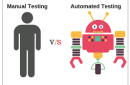
Manual vs. Automation Testing

Introduction
Software testing is an essential part of the Software Development Lifecycle (SDLC). It ensures applications perform correctly, meet quality standards, and deliver a smooth user experience. Testing can be performed manually or automated using specialized tools. Both approaches have their strengths and are suited for specific scenarios. In this article, we’ll explore when, why, and how to use each method effectively.
Manual Testing
When to Use Manual Testing
Manual testing is ideal when human intuition and judgment are crucial.Use it for:
1. Exploratory Testing – When features are new or evolving.
2. Usability Testing – To evaluate design, navigation, and user experience.
3. Ad-hoc Testing – For spontaneous testing without predefined test cases.
4. Short-term Projects – When automation setup isn’t cost-effective.
5. Frequent UI Changes – When interfaces change often, making automation maintenance difficult.
Why Choose Manual Testing
• Flexibility: Easily adapts to design or requirement changes.
• Human Perspective: Ideal for evaluating UI and UX.
• Cost-Effective for Small Projects: No automation overhead.
• Better Visual Feedback: Humans can identify aesthetic or usability issues automation might miss.
How to Perform Manual Testing
1. Review requirements and specifications.
2. Create detailed test cases.
3. Execute tests manually and document results.
4. Log defects in a tracking tool.
5. Retest to verify fixes.
Automation Testing
When to Use Automation Testing
Automation testing works best for repetitive, large-scale, or time-sensitive testing such as:
1. Regression Testing – After frequent code updates.
2. Performance Testing – To simulate user loads.
3. Repetitive Scenarios – For routine test executions.
4. Complex Systems – When broad coverage is needed.
5. CI/CD Pipelines – Supports continuous integration and delivery.
Why Choose Automation Testing
• Speed: Executes tests faster than humans.
• Accuracy: Eliminates human error.
• Scalability: Handles multiple environments and datasets.
• Cost-Effective Long-Term: Reduces ongoing manual effort.
How to Perform Automation Testing
1. Select a testing framework (e.g., Selenium, Appium, Cypress).
2. Write and configure test scripts.
3. Run tests across browsers or devices.
4. Analyze detailed test reports.
5. Maintain scripts as applications evolve.
Manual vs. Automation Testing: Key Differences
Feature
- Execution Speed
- Accuracy
- Cost
- Best For
Manual Testing
- Slow
- May contain human error
- Low upfront cost
- Exploratory, usability testing
Automation Testing
- Fast
- Highly precise
- Higher initial setup cost
- Regression, performance testing
Conclusion
Manual and automation testing aren’t competitors—they complement each other. Manual
testing brings human insight and creativity, while automation ensures speed and consistency.
The most effective testing strategy blends both approaches, using automation for repetitive
tasks and manual testing for complex, user-centered validation.
Trust and Worth
Our Customers
We are having a diversified portfolio and serving customers in the domains namely Sports Management, Online Laundry System, Matrimonial, US Mortgage, EdTech and so on.















Would you like to start a project with us?
DAStek team would be happy to hear from you and would love to turn your ‘Imaginations to Reality’.